4K Video Downloader & Player
- 3.9
- Rating
- 1.00M
- Installs
- Free
- Price

 Analysis by App-foxy
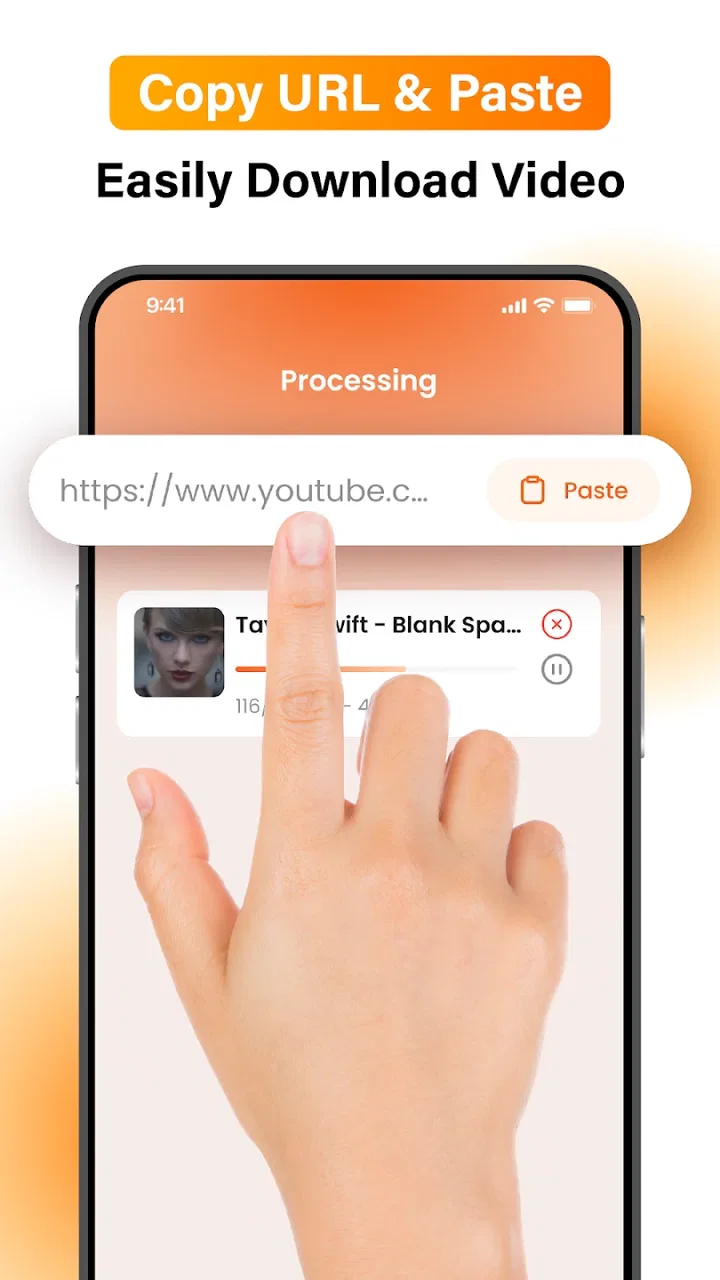
I approached 4K Video Downloader & Player as a practical tools app rather than a replacement for every streaming service on my phone. Its appeal is easy to understand: it is designed around saving videos for offline viewing and playing them later, with a focus on high-resolution content. In my experience, that makes it most interesting for people who regularly deal with unreliable connections, limited travel data, or video files they want kept in one place.
The central question is not whether downloading a video can be useful; it clearly can. The more important question is whether this particular app fits the way you obtain, organize, and watch video. DN Solutions has kept the concept direct, but the experience still depends heavily on the source of the video and on how much control you expect from a downloader. I found it more convincing as a convenient offline player with downloading at its core than as a universal solution for every online video.
What the app does well in everyday use
The first strength is its clear purpose. Instead of combining a long list of unrelated tools, the app concentrates on bringing video into an offline viewing workflow. I can see the value when preparing for a train journey, setting aside material before entering a weak-signal area, or keeping a useful clip available for repeated reference. Those situations reward preparation, and a dedicated downloader can be less distracting than opening several separate apps.
You May Also Like

 Blood Strike: 2.5 Anniversary
Blood Strike’s Loadouts Turn Every Drop Into a Tactical Gamble
A close look at Blood Strike’s custom loadouts: how fast access to signature weapons reshapes its battle royale rhythm, rewards preparation, and narrows the gap between fights.

 Pandora - Music & Podcasts
Pandora’s Music Is Easy to Start, but Harder to Recover
Pandora’s strength is its low-effort path from a seed to a station. Its weak spot is how much confidence it asks you to place in connection, setup, and quiet recovery.

 8 Ball Pool
 Is Built on Rivalries, Rematches, and Routine
A close look at the rivalries, rematches, shared routines, and unanswered safety questions that turn a quick pool match into a persistent mobile community.

 Samsung Music
’s Quiet Strength Is Playing What You Already Own
Its reach comes less from spectacle than from dependable access to a personal library. That simplicity is both the app’s strongest retention engine and its ceiling.

 AccuWeather: Weather Radar
AccuWeather Review: A Quick, Clear Forecast for Everyday Decisions
For everyday plans, the best forecast is the one you can understand quickly. AccuWeather makes rain timing, radar, and local conditions easy to act on, with a few trade-offs.

 Hill Climb Racing
Why Hill Climb Racing Still Turns Crashes Into One More Run
A tiny car, a bumpy hill and one more upgrade: Hill Climb Racing keeps resurfacing because its simple chaos makes every near-miss feel personal.
More From Our News Desk



The emphasis on 4K is also meaningful for users who care about image quality. A high-resolution source can be helpful when a video contains small text, detailed demonstrations, maps, product close-ups, or visual instructions. I would not automatically choose the largest available file, though. A sharper copy can consume more storage and may be unnecessary on a compact phone screen. The sensible approach is to match quality to the display, available space, and length of the video rather than treating 4K as the correct setting every time.
That trade-off is one of the first practical lessons with this kind of app: offline convenience is only useful when the saved files fit your storage habits. Before downloading a long playlist or several large clips, I would check free space and decide which material genuinely deserves permanent offline access. Short instructional videos and essential travel content make more sense than collecting everything simply because the option exists.
The built-in player gives the app a more complete workflow than a downloader that merely leaves files in a folder. After saving a video, I can stay inside the same tool to watch it instead of searching through a general file manager and guessing which file belongs to which download. That matters on a phone, where file names and storage locations are not always pleasant to manage. The benefit is less about advanced playback and more about reducing small points of friction.
I also appreciate the separation between obtaining a video and watching it later. That encourages a useful routine: download while connected to dependable Wi-Fi, then use the saved copy when mobile data or signal quality is poor. For someone who watches educational material, recorded demonstrations, or reference clips repeatedly, this can turn an unpredictable online session into a more controlled one.
A realistic workflow for travel and study
Imagine preparing for a day away from home. I would first identify the few videos I actually need, save them before leaving, and open each one briefly to make sure the files are available for playback. This small check is easy to skip, but it is valuable because offline viewing should be tested before the connection disappears, not after. I would then remove anything unnecessary once the trip is over, especially larger high-resolution files.
For study, I would use a similar method but organize downloads by purpose rather than by impulse. A short collection of tutorials about one subject is easier to revisit than a crowded folder full of unrelated clips. The app becomes more useful when it supports a deliberate library, not when it is treated as an unlimited storage box. That is a strength of the overall concept, but it also exposes the need for personal discipline.
Another non-obvious consideration is the difference between saving a video and preserving its context. A downloaded file may be convenient, but it can lose the surrounding comments, updates, recommendations, or source-page information that helped explain it online. I would keep a simple note about why I saved an important clip, particularly for work or study. The player can handle viewing, but it cannot replace the context that originally made the video useful.
Quality choices are more important than the headline resolution
The 4K label may attract people who want the best possible picture, yet high resolution is not automatically the best everyday choice. A smaller file can start faster, use less space, and be perfectly comfortable on a phone. If I were saving a lecture for listening and occasional viewing, I would prioritize a manageable file. If I were saving a design demonstration or footage where fine detail matters, I would be more willing to choose a larger version.
This is also where expectations need to stay realistic. A downloader cannot create detail that was never present in the original video. Selecting a high-resolution option does not turn a low-quality source into genuine 4K footage. I would judge the result by the source quality as well as the selected setting, and I would avoid filling storage with oversized copies that offer no visible improvement.
The app is free to install, which makes it easy to try without an upfront purchase. It does include in-app purchases ranging from less than a dollar to close to thirty dollars per item, so I would pay attention to any upgrade or optional purchase screen before confirming anything. The free entry point is helpful, but “free” should not be interpreted as meaning that every possible capability or convenience is necessarily included without conditions.
Where the experience becomes less straightforward
The biggest limitation is that a downloader is never completely independent of its video sources. Availability, compatibility, and the way a video can be saved depend on where that content comes from and what the source allows. I would not install this expecting it to bypass restrictions, copy protected material, or make every online video available offline. The responsible approach is to save content I am permitted to keep and to respect the rules attached to the original service.
This matters because the store summary can create a broad impression of universal downloading, while real-world use is more conditional. A person who wants one button for every platform may become frustrated when a source behaves differently from another. In that situation, the official app’s own offline feature is often the better option because it is designed around that service’s account, rights, and playback system.
There is also a management cost. Once videos are stored locally, I become responsible for naming, sorting, deleting, and checking them. A dedicated player reduces some of that work, but it does not remove the need to maintain the library. I would be cautious about downloading several versions of the same clip or saving long videos that I will probably watch once. A little organization at the start prevents the app from becoming another crowded storage area.
High-resolution files can make that problem more noticeable. Even without quoting a precise file size, the principle is simple: longer videos and better quality usually require more room. If your phone has limited storage or you regularly record photos and videos, this app may compete with more important files. In that case, the usual streaming app with a temporary offline mode may be a more efficient choice.
How it compares with familiar alternatives
Compared with a standard streaming app, this tool offers a more file-oriented experience. A streaming service’s own offline mode is generally more convenient when you already have an account, use one platform heavily, and want downloads to remain inside that service. It may also preserve subscriptions, recommendations, captions, and viewing history more naturally. I would choose the official option when the content is tied closely to one platform and I do not need a separate local library.
Compared with a general file manager, 4K Video Downloader & Player has a clearer video purpose. A file manager is useful when I need to move, rename, back up, or inspect many file types, but it is not necessarily the easiest place to build a viewing routine. This app makes more sense when the main task is obtaining and watching video rather than managing documents, photos, archives, and audio together.
Compared with a desktop downloader, the phone app is better suited to immediate mobile use but less attractive for people who manage large collections. A computer usually gives more room for sorting, reviewing, and transferring files. I would use a desktop workflow for extensive archiving and consider this app for smaller, personal collections that need to be available directly on the phone.
The right choice therefore depends on the job. If I want controlled offline access to a modest set of videos, the app has a sensible role. If I want a complete media library with detailed tagging, backup routines, and broad format management, I would look toward a more specialized file or media solution instead.
Who should use it, and who should skip it?
I think the strongest audience is made up of people who often watch videos away from dependable internet, want a straightforward local player, and are willing to manage their saved files. Students reviewing visual lessons, commuters preparing a few clips, travelers planning around weak connectivity, and users who revisit reference material can all find a practical reason to try it.
It is also a reasonable fit for someone who values resolution and wants to decide when a video should be stored locally. The ability to choose a quality level can be useful when balancing clarity against storage, provided the user makes that decision consciously instead of always selecting the largest option.
I would advise caution for people who expect a completely automatic experience. If your priority is one-tap offline viewing inside a familiar subscription service, the official platform app will probably feel smoother. I would also skip this tool if you rarely watch saved videos, have very little free storage, or do not want to think about where files go after downloading them.
Parents may appreciate that the content rating is suitable for Everyone, but that label should not replace supervision of the videos themselves. The app can provide access to saved video content, while the suitability of each video still depends on its source and subject matter. I would review what is being downloaded rather than treating the age rating as a guarantee about every file.
Compatibility, pricing, and the current release
The app is available as a free tools download from DN Solutions and supports Android starting with version 8.1. That gives it a reasonably broad reach among Android users, although anyone with an older phone should check compatibility before planning around it. The current release is version 1.0.30, and the app was released on February 20, 2026, so I would keep expectations measured when judging how mature its broader ecosystem feels.
Its average rating is 3.9 from roughly seven hundred ratings, with only a small number of written reviews. I read that as a moderate signal rather than a decisive verdict. The install count has passed one million, which shows that the concept has found a substantial audience, but popularity alone does not tell me whether the workflow matches my own sources, storage limits, or expectations.
The purchase range deserves a second look before using optional features. Since individual items can cost from $0.99 to $29.99, I would inspect the wording on each purchase screen and decide whether the added value fits my usage. Someone downloading occasionally may have no reason to spend more, while a frequent user might consider a paid option if it removes a recurring annoyance. I would not pay simply because a higher resolution label sounds impressive.
My final recommendation
After looking at the complete workflow, I see 4K Video Downloader & Player as a focused and potentially useful companion for offline video, not as a universal answer to every downloading need. Its best qualities are the direct purpose, the combination of saving and playback, and the ability to make high-quality video available when connectivity is inconvenient. Those strengths become especially clear when I prepare content in advance and keep the local library small.
Its weaknesses are equally practical. Source restrictions still matter, high-resolution files can put pressure on storage, and managing downloads requires more attention than simply pressing an offline button inside a streaming service. The possible in-app costs also mean I would explore the free experience carefully before buying anything.
My recommendation is therefore specific: try it if you want a mobile-first way to keep permitted videos ready for offline viewing and you are comfortable making your own quality and storage decisions. Choose an official streaming app for platform-bound content, or a desktop and media-management solution for serious archiving. For the right user, the app is most valuable as a prepared offline library, not as a promise that every video can be saved.
FAQs for 4K Video Downloader & Player
01What is 4K Video Downloader & Player and what features does it offer?
4K Video Downloader & Player is a versatile app designed to download and play high-resolution videos from various platforms. It supports multiple video formats and resolutions, including 4K and 8K. Key features include batch downloading, subtitle support, and the ability to transfer videos to other devices seamlessly. It's a comprehensive solution for video enthusiasts.
02Is 4K Video Downloader & Player free to use, or does it have any hidden costs?
The app offers a free version with basic functionalities. However, to access advanced features such as unlimited downloads and higher-quality videos, a premium version is available. There are no hidden costs, and users can opt for a one-time purchase or a subscription plan, depending on their needs.
03What platforms are supported by 4K Video Downloader & Player?
The app is compatible with both Android and iOS devices. It supports downloading from a variety of popular video-sharing platforms such as YouTube, Vimeo, and Dailymotion. This wide compatibility makes it a convenient choice for users who want to access their favorite content across different platforms.
04Is it safe to download and use 4K Video Downloader & Player?
Yes, the app is generally considered safe to use. It is regularly updated to ensure security and performance. However, users should always download it from official app stores like Google Play or the Apple App Store to avoid counterfeit versions that may contain malware. Reading user reviews can also provide insights into its reliability.
05Does 4K Video Downloader & Player allow offline viewing of downloaded content?
Absolutely! One of the primary features of 4K Video Downloader & Player is its ability to store downloaded videos locally on your device. This enables users to watch their favorite content offline, without the need for an internet connection, which is particularly useful for travel or areas with limited connectivity.
Pros
- Supports multiple video formats.
- High-quality 4K video downloads.
- Fast and efficient download speeds.
- User-friendly interface.
- Allows batch downloading.
Cons
- Some features require premium.
- Ads can be intrusive.
- Limited editing tools.
- Occasional download errors.
- Not available on iOS.

4K Video Downloader & Player
Gallery